BE-IIS-GMSL2-2CAM
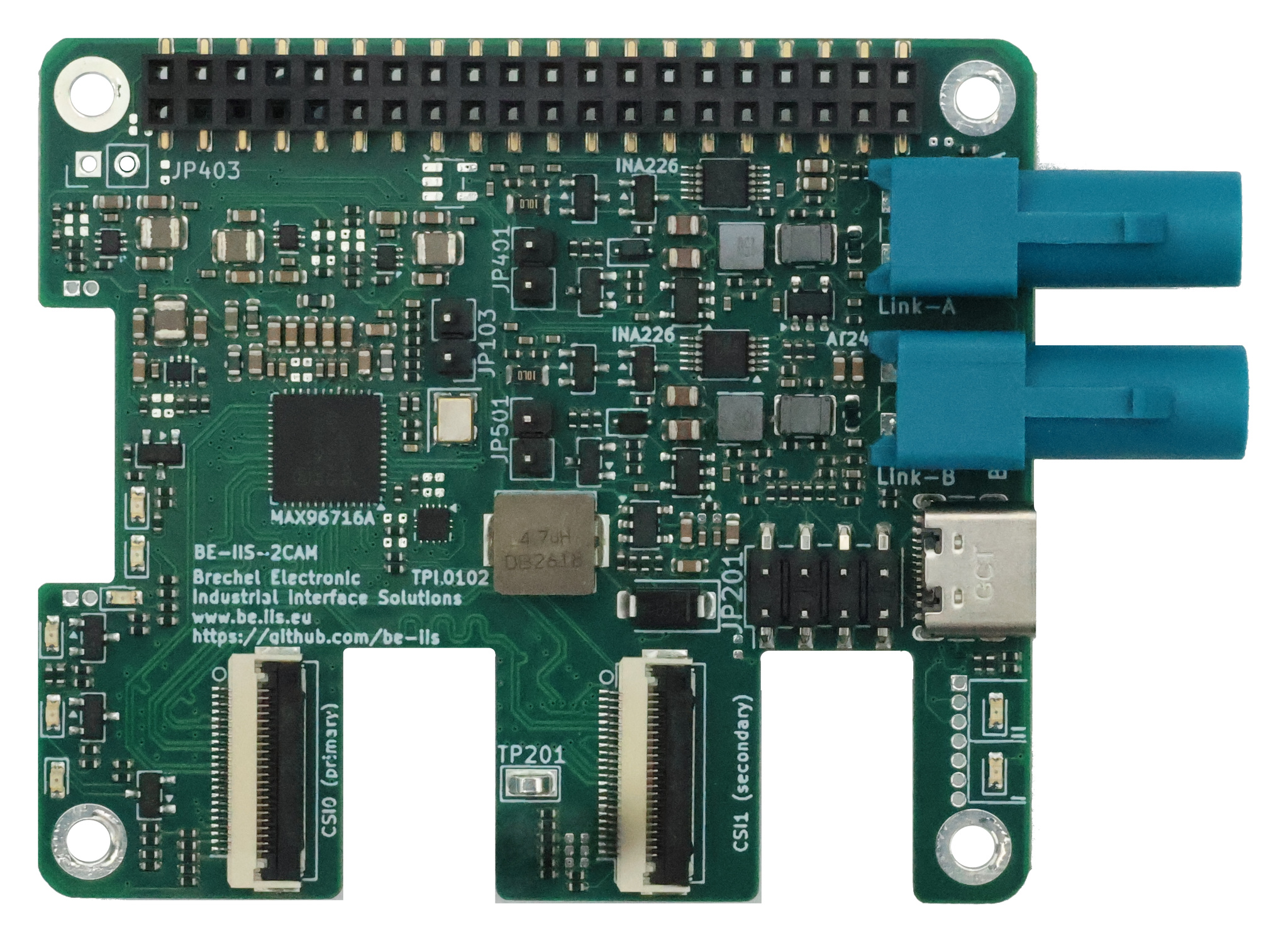
A Raspberry Pi HAT for receiving two remote GMSL2 cameras and forwarding their CSI-2 video streams to the host.
Step-by-step bring-up
Bringing up GMSL2 cameras covers three cases: a supported camera head, a new imager on the BE-IIS serializer, and another GMSL2 camera. Each follows the same sequence: connect the hardware, establish the I²C path, then establish the MIPI path.
Overview
The BE-IIS-GMSL2-2CAM receives two remote GMSL2 camera links and forwards their CSI-2 streams to a Raspberry Pi 5. The camera installer uses JSON profiles to describe the sensor, I²C aliases, hardware checks and ordered link and video initialization. Choose a profile that matches your board revision and both camera heads. The commands in this guide use the selected profile throughout.
Currently available profile: imx708-revb for the Rev. B board with two IMX708 camera heads. Profiles for other image sensors will follow shortly. Check the profiles directory for the available combinations; do not use the IMX708 profile with another sensor.
Requirements
- Raspberry Pi 5, BE-IIS-GMSL2-2CAM HAT and two camera heads supported by the chosen profile.
- Coaxial cables on Link A and Link B, with both camera heads powered.
- Raspberry Pi OS, network access and permission to run
sudo. - Stop any application or service using the cameras while initializing or testing them.
Unless noted, run the commands on the Pi. The following procedure applies to a dual-camera profile with overlays for both links.
1. Select a profile and install
git clone https://github.com/be-iis/be-iis-cam-installer.git
cd be-iis-cam-installer
PROFILE=imx708-revb
./install.sh "$PROFILE"
Replace imx708-revb on the PROFILE= line when a profile for your hardware is available. Keep the same value for installation, link initialization and examples. If the installer enables the Pi camera I²C bus and reboots, return to the repository, set PROFILE again and rerun ./install.sh "$PROFILE". Installation adds the selected profile’s driver, dependencies and overlays, but does not initialize the GMSL links.
If you already have the repository checked out on main, update it with git pull --ff-only origin main before installation. Resolve local changes first if Git reports a conflict.
2. Initialize both links
After installation, from the repository directory:
PROFILE=imx708-revb
make unoverlay
make prepare-a-b PROFILE="$PROFILE"
make pipeline-a-b PROFILE="$PROFILE"
When using another profile, change only the value assigned to PROFILE. Reassign it in a new terminal session, too. prepare-a-b checks and sets up both control paths and loads the profile’s camera overlays. pipeline-a-b configures the serializer inputs and deserializer video output according to the same profile. Run these steps again after a reset if the links need reinitialization. No systemd camera initialization service is required.
3. Verify both video streams
rpicam-hello --list-cameras
rpicam-hello --camera 0 -t 0
rpicam-hello --camera 1 -t 0
Expect two cameras matching the selected profile. Stop each preview with Ctrl+C before starting the next. Camera indices and available sensor modes depend on the profile and the Pi’s camera enumeration. Listing a camera confirms discovery; a live preview confirms that frames reach the Pi.
To show both streams side by side on a connected HDMI display:
make video-dual PROFILE="$PROFILE"
The example also accepts the selected profile explicitly. Its optional INA226 supply and GMSL link diagnostics can be enabled with:
sudo -E python3 examples/dual-hdmi-preview/dual_preview.py --profile "$PROFILE" --ina --gmsl
The HDMI example uses an 800×480 display layout. Its documentation describes output resolution, focus and monitoring. Use a profile that defines the example’s two camera indices and link mapping.
Optional: preview on a Linux PC
After initializing both links, start the sender on the Pi with your PC’s IP address:
python3 examples/dual-pc-preview/dual_stream_to_pc.py 192.168.178.116 --profile "$PROFILE"
Install gstreamer1.0-tools, gstreamer1.0-plugins-base and gstreamer1.0-plugins-good on the PC, then run:
gst-launch-1.0 -v \
  udpsrc port=5000 caps="application/x-rtp,media=video,encoding-name=JPEG,payload=26,clock-rate=90000" \
  ! rtpjitterbuffer latency=50 \
  ! rtpjpegdepay ! jpegdec ! videoconvert ! autovideosink
See the PC preview example for the optional port setting.
Current IMX708 Rev. B profile
The imx708-revb.json profile configures both MAX96716A links for 6 Gbit/s, coax and tunnel mode over I²C. Rev. B has no DigiPot. After a link reset it enables and checks receiver adaptation. The IMX708 profile installs a patched sensor driver; verify the installed module with modinfo -n imx708 (it should resolve under updates/).
For this specific profile, camera 0 is Link B (imx708@53) and camera 1 is Link A (imx708@52). The tested sensor mode is 2304×1296 RAW10. For its register and CSI mapping, see dual-camera bring-up. These aliases, camera indices, mode and driver notes do not automatically apply to future profiles.
If both cameras are listed but a preview times out, check whether make pipeline-a-b PROFILE="$PROFILE" completed. For the IMX708 profile, also check that the patched module is loaded. Sensor discovery alone does not prove a working video path.
A stereo application still requires mechanically fixed camera positions and calibration at its chosen focus and resolution; initializing the links does not perform stereo calibration.